

Start here
What a Dash Cam Actually Does
Next
Choosing Where to Mount It
Then
Power Sources Explained
Going deeper
Recording Features Worth Understanding
Before you install
Privacy Laws and Legal Considerations
What a Dash Cam Actually Does
A dash cam is a small camera that mounts inside your vehicle and continuously records the road ahead - and in dual-channel setups, the road behind as well. The footage is stored on a memory card and is primarily useful for documenting what happened in the event of a collision, an act of vandalism, or an unusual incident on the road.
It does not automatically report incidents or contact authorities. It does not make a determination of fault. What it does is preserve a visual record that you can review or share later. For a broader look at how dash cams compare to other safety accessories, see our guide to vehicle safety add-ons.
Loop recording
A mode where the camera continuously records and automatically overwrites the oldest footage when the memory card is full, so the card never fills up completely.
G-sensor
An accelerometer built into a dash cam that detects sudden movement or impact and automatically locks the current video clip so it isn't overwritten.
Parking mode
A feature that keeps the dash cam recording (often using motion detection) while the vehicle is parked and the engine is off, requiring a continuous power source.
Hardwiring
Connecting a dash cam directly to the vehicle's fuse box rather than using a 12V socket, allowing the camera to receive power even when the ignition is off.
Voltage cutoff
A protection feature in hardwired kits that shuts down the dash cam when the vehicle's battery drops to a set voltage level, preventing the battery from being drained flat.
Dual-channel camera
A dash cam system with two lenses - one facing forward and one facing rearward - recording both directions simultaneously.
Choosing Where to Mount It
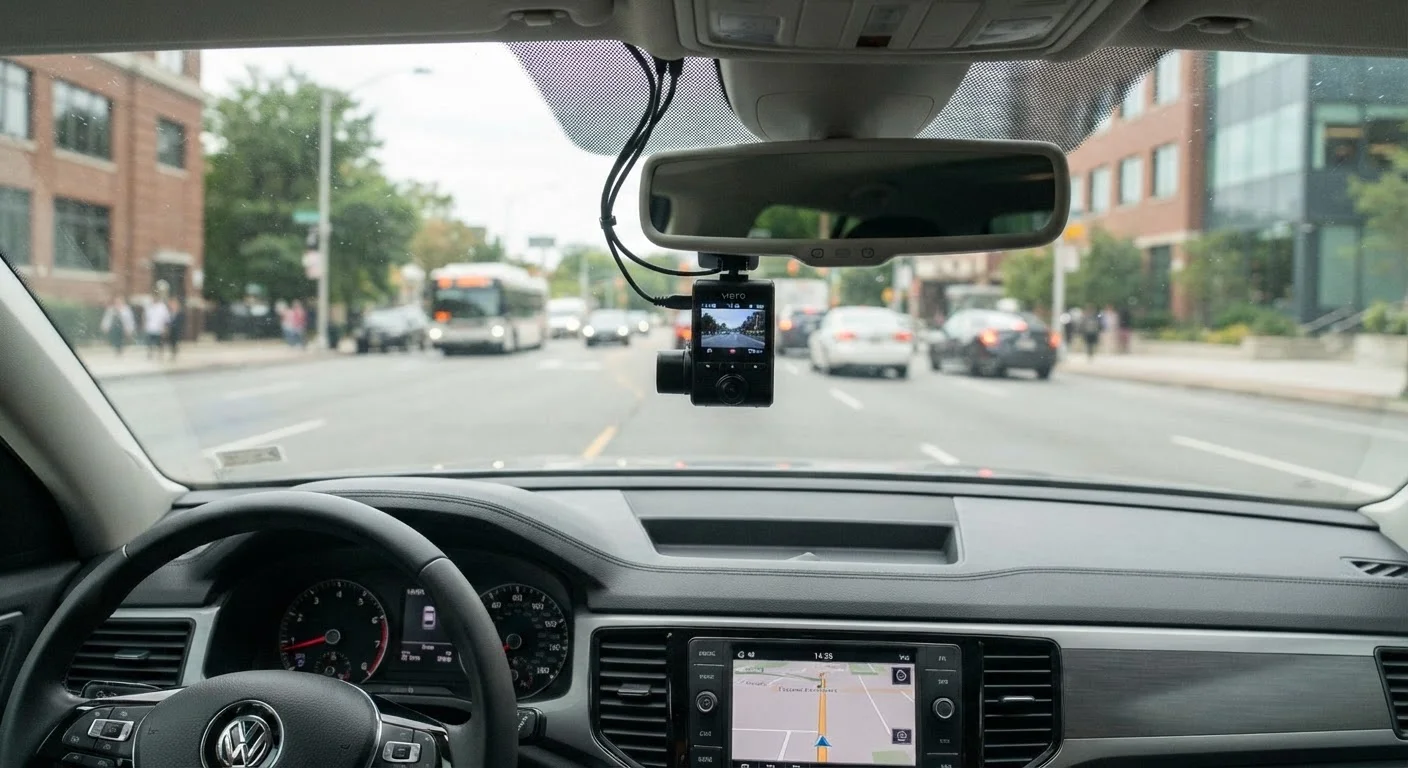
Placement affects both legality and usefulness. In most U.S. states, objects mounted on a windshield must not materially obstruct the driver's view - typically meaning they should sit within the area swept by the wipers and positioned near the top of the glass, behind the rearview mirror. Mounting low on the windshield or in the driver's peripheral vision is both a legal risk and a safety concern.
A center-high placement behind the rearview mirror is the most common and practical position. It keeps the camera out of sightlines, captures a wide forward view, and allows cable routing along the headliner for a tidy finish. If you're thinking through windshield positioning principles more broadly, the same logic applies to phone mounts - safe placement guidance for phone mounts covers those rules in detail.
Power Sources Explained
Most dash cams offer two power options: plugging into a 12V accessory socket (commonly called a cigarette lighter socket) or hardwiring directly into your vehicle's fuse box.
- 12V socket: Simple to install - just plug in and route the cable. The camera powers on and off with the ignition. No modification to your vehicle's wiring is required.
- Hardwired kit: Connects directly to the fuse box via a low-profile add-a-fuse adapter. This enables parking mode (recording while parked) and keeps the cable hidden. It involves working with your vehicle's electrical system.
Keep Cables Tidy From the Start
Routing the power cable along the headliner and down the A-pillar trim gives a cleaner finish and prevents dangling cords that can distract the driver. Most trim panels can be gently pulled away without tools to tuck cables behind them. Taking the time to do this properly at installation is much easier than revisiting it later.
Hardwiring should be carried out by a qualified auto electrician if you are not confident working with vehicle fuse boxes. An incorrect connection can blow fuses or, in serious cases, cause electrical damage.
Recording Features Worth Understanding
Loop recording is the standard mode for dash cams. When the memory card fills up, the camera automatically overwrites the oldest footage. This means the card never runs out of space, but it also means older footage is lost unless you save clips manually or the camera does so automatically.
Incident detection (sometimes called G-sensor or collision detection) uses an accelerometer to flag sudden impacts. When triggered, the current clip is locked and protected from loop overwriting. Sensitivity is usually adjustable - set it too high and minor road bumps will lock clips unnecessarily.
Parking mode keeps the camera active after the engine is off, often switching to motion-triggered recording to conserve power. This requires a live power source and a voltage cutoff to prevent battery drain.
Video resolution affects file size and storage duration. Higher resolution captures more detail but fills cards faster. Check your camera's specific storage consumption rate at your intended resolution before selecting a card size.
Privacy Laws and Legal Considerations
Dash cam laws in the U.S. vary by state. At the federal level there is no single dash cam statute, so requirements around windshield placement and audio recording are set at the state level.
Audio recording is the most legally sensitive feature. Some states require all-party consent to record a conversation - meaning passengers must agree before you record audio inside the vehicle. If you're unsure of your state's rules, disabling the microphone is the conservative approach.
Filming in public - roads, intersections, other vehicles - is generally permitted across the U.S. Recording on private property raises different considerations.
State Laws Change - Verify Locally
Windshield obstruction rules and audio recording consent requirements differ across U.S. states and can be updated by legislation. Before enabling audio recording or finalizing your mounting position, check your state's current vehicle code or consult a local legal resource. What applies in one state may not apply in another.
If you're adding other cameras to your vehicle, such as a reversing camera, the installation complexity can vary considerably. What's involved in fitting a reversing camera gives a realistic overview. For a broader look at worthwhile vehicle upgrades, the complete guide to car accessories is a good reference.
Frequently Asked Questions
Only if it supports parking mode and is connected to a power source that stays live when the ignition is off - typically a hardwired kit or an external battery pack. Most cameras that rely solely on a 12V socket will stop recording once you turn off the engine.
It can be submitted, but courts determine admissibility individually. Footage is generally more useful as supporting context than as definitive proof. Keep recordings of any incident and consult a legal professional about how footage applies to your specific situation.
This depends on your state. Some states require all parties in a vehicle to consent to audio recording. If you're unsure, disabling the microphone is the simplest way to stay clear of potential issues.
A properly installed hardwired dash cam includes a voltage cutoff to prevent battery drain. Without that protection, continuous parking-mode recording can deplete a standard 12V battery. Always confirm voltage cutoff specs before enabling parking mode.
Most dash cams support cards from 32GB to 256GB. A 64GB card typically holds several hours of HD footage before loop recording overwrites the oldest files. Higher resolution cameras consume more storage per hour, so check your camera's specifications.
Basic plug-in models are straightforward for most drivers. Hardwired installations involve connecting to your vehicle's fuse box, which carries a risk of electrical damage if done incorrectly - for those, a qualified auto electrician or installer is strongly recommended.
The content on this site is provided for informational purposes only and should not be considered a substitute for professional advice. While we strive to provide accurate and up-to-date information, we make no guarantees regarding its completeness or accuracy. Always consult a qualified professional for advice specific to your circumstances before making any decisions.