

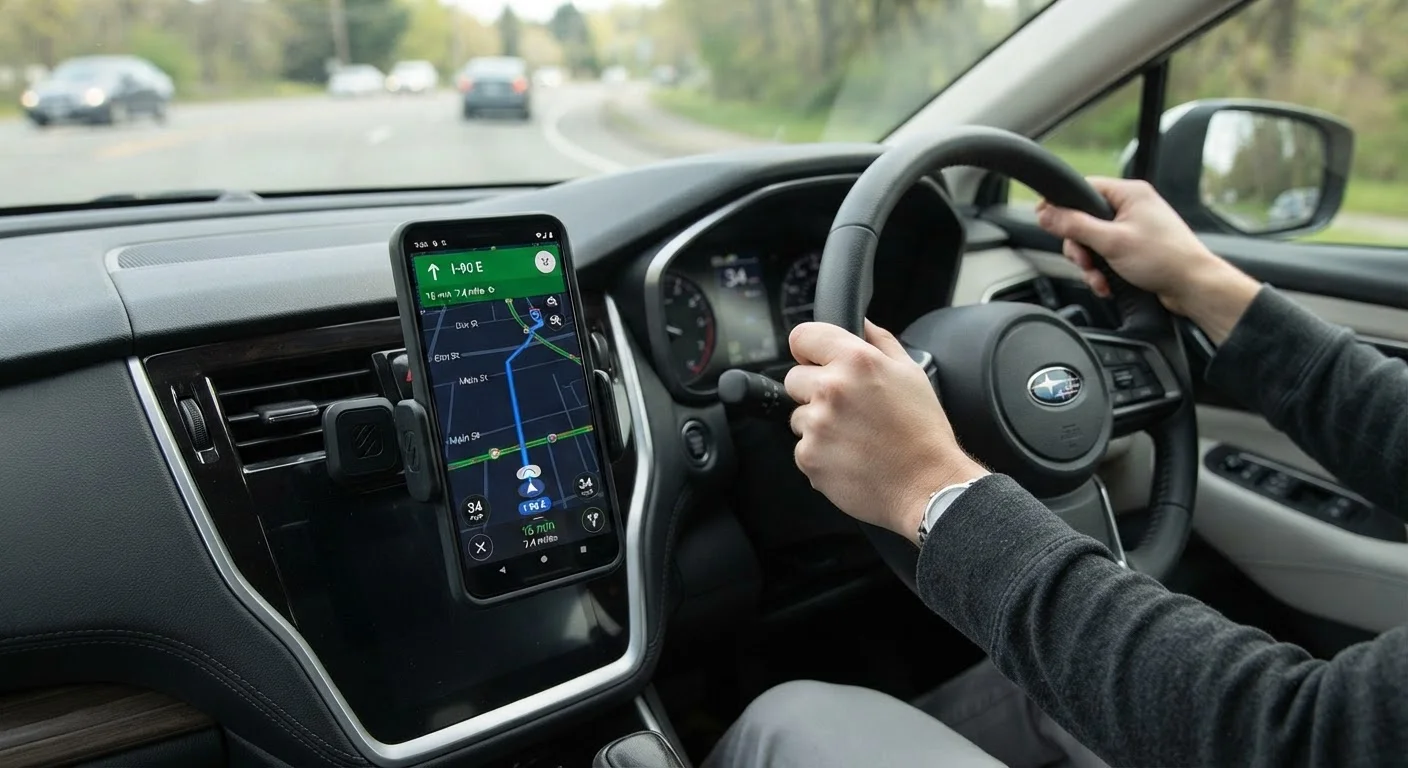
Why Placement Matters More Than the Mount Itself
Most drivers spend considerable time comparing mount styles - magnetic, suction-cup, CD-slot, vent-clip - but the decision that most affects daily safety is simpler: where on the vehicle does the mount go? A poorly placed mount can obstruct sightlines, distract the driver during setup, or block critical controls. A well-placed one keeps navigation visible with the shortest possible glance, keeping attention where it belongs - on the road.
U.S. distracted driving data consistently shows that manual phone interaction is one of the leading causes of preventable crashes. A mount doesn't eliminate distraction entirely, but correct placement minimizes the time your eyes leave the forward view. That marginal difference in glance duration matters at highway speeds.
For drivers exploring how phone mounts fit alongside other vehicle add-ons, our complete guide to upgrading your vehicle sensibly offers useful broader context.
Hands-Free Doesn't Mean Risk-Free
A mounted phone in a legal position reduces manual interaction but does not eliminate cognitive distraction. Research from the National Safety Council and others indicates that voice-based interactions can still divert mental attention from driving. Mounting your phone correctly is one layer of a safe-driving approach - not a substitute for attentive driving habits.
Common Mounting Locations: Trade-Offs at a Glance
Each mounting position carries real advantages and real limitations. Understanding them helps you choose a location that works for your specific vehicle and driving habits.
Windshield
A suction-cup mount on the lower windshield keeps the phone close to your natural forward sightline. However, many states restrict or prohibit objects mounted on the windshield if they obstruct the driver's view. California, for instance, limits windshield mounts to specific corner zones. Always check your state's vehicle code before mounting here.
Dashboard (top surface)
Adhesive or weighted dashboard mounts position the phone low and forward, typically near the instrument cluster. This keeps the device within the driver's peripheral vision without encroaching on the windshield glass itself. The trade-off is heat exposure - dashboards can reach temperatures that stress adhesive pads and phone batteries over time.
Air Vents
Vent-clip mounts are popular for their convenience, but they redirect airflow and can stress plastic vent louvers over time, particularly in older vehicles. They also position the phone lower than ideal for navigation glances on some dash layouts.
CD Slot or Infotainment Bezel
These mounts use the CD slot or trim bezel for a stable, no-adhesive fit. They work well when the slot is accessible and not in regular use, but they may not suit vehicles with integrated infotainment systems that fill that space.
Position the mount within your natural forward sightline, not to the side or low near the center console.
Glance duration - the time your eyes leave the road - increases sharply when a display is located outside your central field of view. Keeping the phone near your instrument cluster zone reduces that gap. Every extra half-second of eyes-off-road time significantly increases stopping distance at typical highway speeds.
Ensure the mounted phone does not block deployed airbag zones or safety-critical controls.
Steering wheel airbag deployment zones and side-curtain airbag pathways must remain clear. A phone or mount that interferes with these systems during a crash could redirect deployment forces unpredictably. Similarly, blocking HVAC controls or emergency flasher buttons creates operational hazards.
Set up your navigation and media before putting the vehicle in drive - not while moving.
Even a well-placed mount doesn't eliminate the risk of manual phone interaction while driving. Entering a destination, adjusting volume, or changing playlists while in motion is a manual distraction regardless of mount quality. Building the habit of configuring everything while parked removes that risk entirely.
Check mount stability weekly and re-secure adhesive or suction elements as needed.
Temperature cycling, vibration, and dashboard dust degrade suction cups and adhesive pads over time. A phone that falls from a loose mount mid-drive creates an immediate distraction and potential hazard - either to the driver reaching for it or from the device becoming a projectile.
Verify that your mount placement complies with your state's windshield obstruction laws before installation.
Several U.S. states restrict where objects can be placed on the windshield, with violations potentially resulting in traffic citations. What is legal in one state may constitute a moving violation in another, particularly for drivers who cross state lines.
Best Practices for Safe, Legal Placement
Regardless of mount type, the following practices apply universally and reflect both safety engineering principles and regulatory guidance across U.S. jurisdictions.
Once your mount is correctly positioned, consider how your phone integrates with your vehicle's audio system. Drivers using wired or wireless CarPlay and Android Auto adapters can often route navigation audio through the car's speakers, reducing the need to interact with the phone directly while driving. And if power supply is a concern, understanding your in-car charging options will help you keep the device charged without clutter.
Staying Legal: A State-by-State Reality
There is no single federal standard for phone mount placement in the U.S. - state vehicle codes govern what's permissible, and they vary meaningfully. Some states explicitly permit windshield mounts in designated corners. Others treat any windshield-mounted object as a potential obstruction violation. A handful of states address vent or dash mounts in separate distracted-driving statutes.
The practical advice: look up your state's motor vehicle statutes or consult your state's DMV website before finalizing placement. If you drive across state lines regularly, aim for a placement that complies with the most restrictive jurisdiction you travel through.
~9%
Fatal crashes involving distracted driving
According to the National Highway Traffic Safety Administration (NHTSA), distraction is reported as a factor in approximately 8-9% of fatal crashes annually in the U.S.
5 sec
Average eyes-off-road time for a manual phone task
NHTSA research indicates that sending or reading a text takes the driver's eyes off the road for an average of five seconds - equivalent to driving the length of a football field at 55 mph.
Drivers interested in the broader landscape of safety-oriented accessories may find value in reviewing our analysis of dash cams, blind-spot mirrors, and parking sensors - many of the placement principles overlap.
This article is for general informational and educational purposes only. Laws governing vehicle equipment and driver distraction vary by jurisdiction. Always verify current regulations with your state's motor vehicle authority before modifying your vehicle's interior.
The content on this site is provided for informational purposes only and should not be considered a substitute for professional advice. While we strive to provide accurate and up-to-date information, we make no guarantees regarding its completeness or accuracy. Always consult a qualified professional for advice specific to your circumstances before making any decisions.