

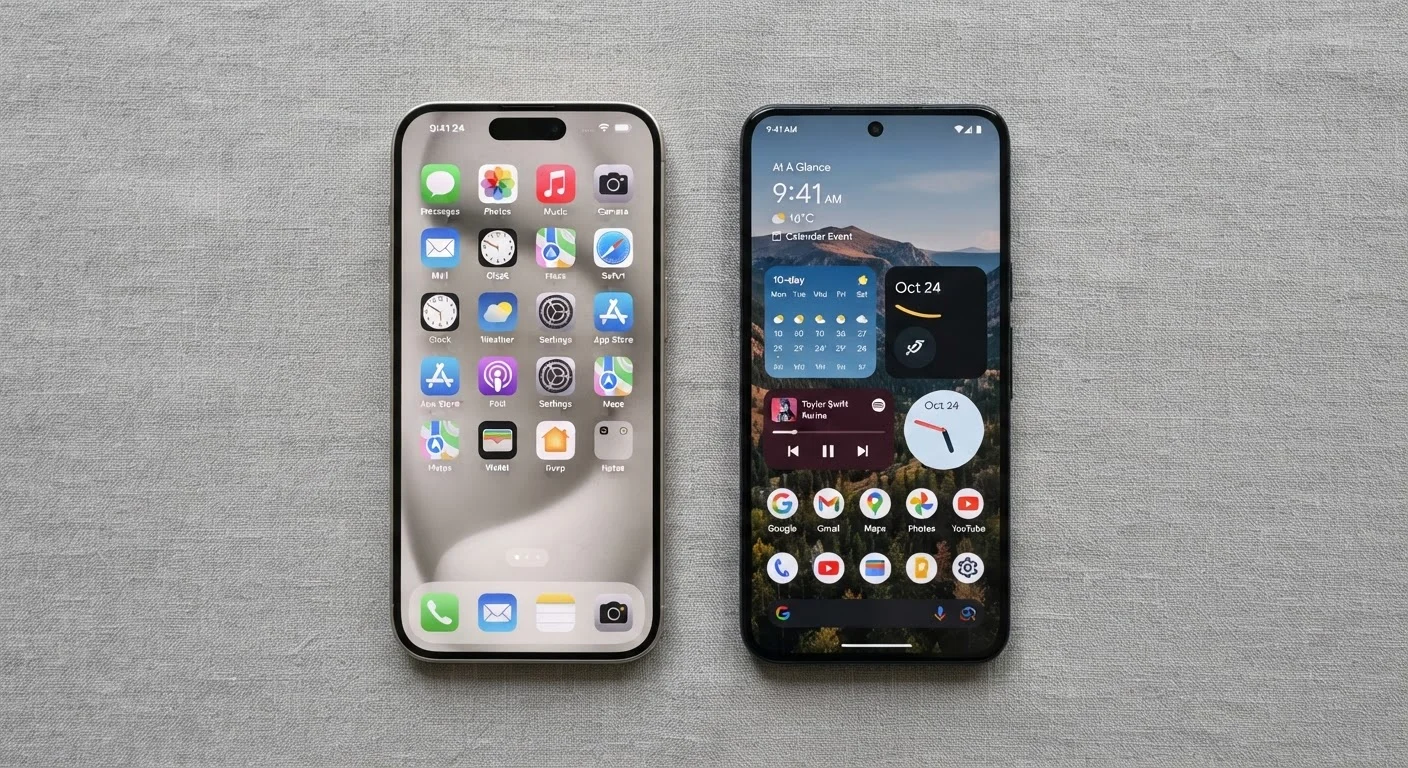
Option A
Android
The open, highly customizable mobile platform.
Best for: Users who want flexibility, hardware variety, and deeper control over their device experience.
Option B
iOS
The tightly integrated, consistency-first mobile platform.
Best for: Users who prioritize a streamlined experience, strong privacy defaults, and seamless Apple ecosystem integration.
How Each Platform Approaches the User Experience
The most immediate difference between Android and iOS is philosophy. iOS, developed by Apple, controls both the software and the hardware it runs on. That tight integration means every iPhone user gets a consistent interface, predictable performance, and uniform update delivery. Android, developed by Google and used by many device manufacturers, is an open platform - meaning the experience can vary significantly depending on who made your phone and which version of Android they've customized.
For everyday use, this shows up in things like home screen layout, notification handling, and default app behavior. Android lets you replace the default browser, email client, or even keyboard with third-party alternatives. iOS keeps more of these defaults locked in, though it has opened up some options in recent years. Neither approach is objectively better - it depends on whether you value consistency or configurability.
If you're newer to smartphones entirely, see our guide for first-time smartphone owners for a broader orientation before diving into platform specifics.
Privacy, Security, and Software Updates
Both platforms now treat privacy as a visible feature, but they implement it differently. Apple's App Tracking Transparency framework requires apps to ask permission before tracking your activity across other apps and websites - a default-on protection that's widely noted. Android's privacy controls are robust but have historically required more manual setup to reach the same level of restriction.
A Note on Privacy Claims
Privacy marketing from both Apple and Google should be read critically. Independent assessments of privacy practices - such as those from academic researchers or organizations like the Electronic Frontier Foundation - often provide a more nuanced picture than platform messaging alone. Both operating systems collect some data to function; the meaningful question is how much, and what control you have over it.
Software update longevity is a meaningful practical difference. Apple typically supports iPhones with major iOS updates for six or more years after release. Android update timelines vary considerably by manufacturer - some flagship devices now receive four to five years of support, while budget devices may receive fewer. When comparing phones, checking a manufacturer's stated update commitment is worth doing.
For a closer look at the specific security settings available on either platform, mobile security settings most people leave switched off is a practical companion read.
App Ecosystems and What You'd Leave Behind When Switching
The gap between the Google Play Store and Apple's App Store has narrowed considerably. Most major apps are available on both platforms, and quality differences that once favored iOS have largely evened out. Some apps do still launch on iOS first, and a small number of tools remain exclusive to one platform.
| Criterion | Android | iOS |
|---|---|---|
| Hardware variety | Dozens of manufacturers, wide price range | iPhone lineup only |
| Customization | Extensive (widgets, default apps, launchers) | Moderate (some defaults changeable) |
| Software update length | Typically 2-5 years, varies by manufacturer | Generally 6+ years |
| Privacy defaults | Strong, more manual configuration | Strong, on-by-default protections |
| Ecosystem integration | Google services, broad compatibility | Deep Apple device continuity |
| App availability | Broad; some apps arrive later | Broad; some apps launch here first |
| Car connectivity | Android Auto | CarPlay |
The more significant switching cost is your existing purchases and habits. Apps bought on one platform don't transfer to the other. If you've built years of purchases, saved game progress, or subscription workflows around one ecosystem, that's real friction to account for. The same applies to cloud services - Google Photos, iCloud, and their associated storage plans each have their own portability considerations. Understanding how mobile storage works can also help you plan a migration more smoothly.
If your phone connects to your car's infotainment system, it's also worth knowing that CarPlay is iOS-only, while Android Auto works with Android devices - a factor for drivers. See wired vs. wireless CarPlay and Android Auto adapters for more on that distinction.
Making the Call: What Actually Matters for Your Situation
For most people, the decision comes down to three practical questions: What devices do you already own? How much do you want to tinker? And how long do you expect to keep your phone?
If you're already embedded in the Apple ecosystem - Mac, iPad, Apple Watch - iOS is the natural fit because continuity features like Handoff and AirDrop work only within that environment. If you use Google Workspace heavily or want Android's flexibility and wider hardware selection, Android is the more accommodating choice.
For those weighing a broader device decision that includes tablets, our tablet vs. laptop framework explores how platform choice plays into that decision as well. And if you're thinking about operating systems more broadly, Windows, macOS, and ChromeOS compared is a useful companion piece.
Both platforms are genuinely capable daily drivers. The differences that matter most are the ones that align - or don't - with how you actually use a phone.
The content on this site is provided for informational purposes only and should not be considered a substitute for professional advice. While we strive to provide accurate and up-to-date information, we make no guarantees regarding its completeness or accuracy. Always consult a qualified professional for advice specific to your circumstances before making any decisions.