

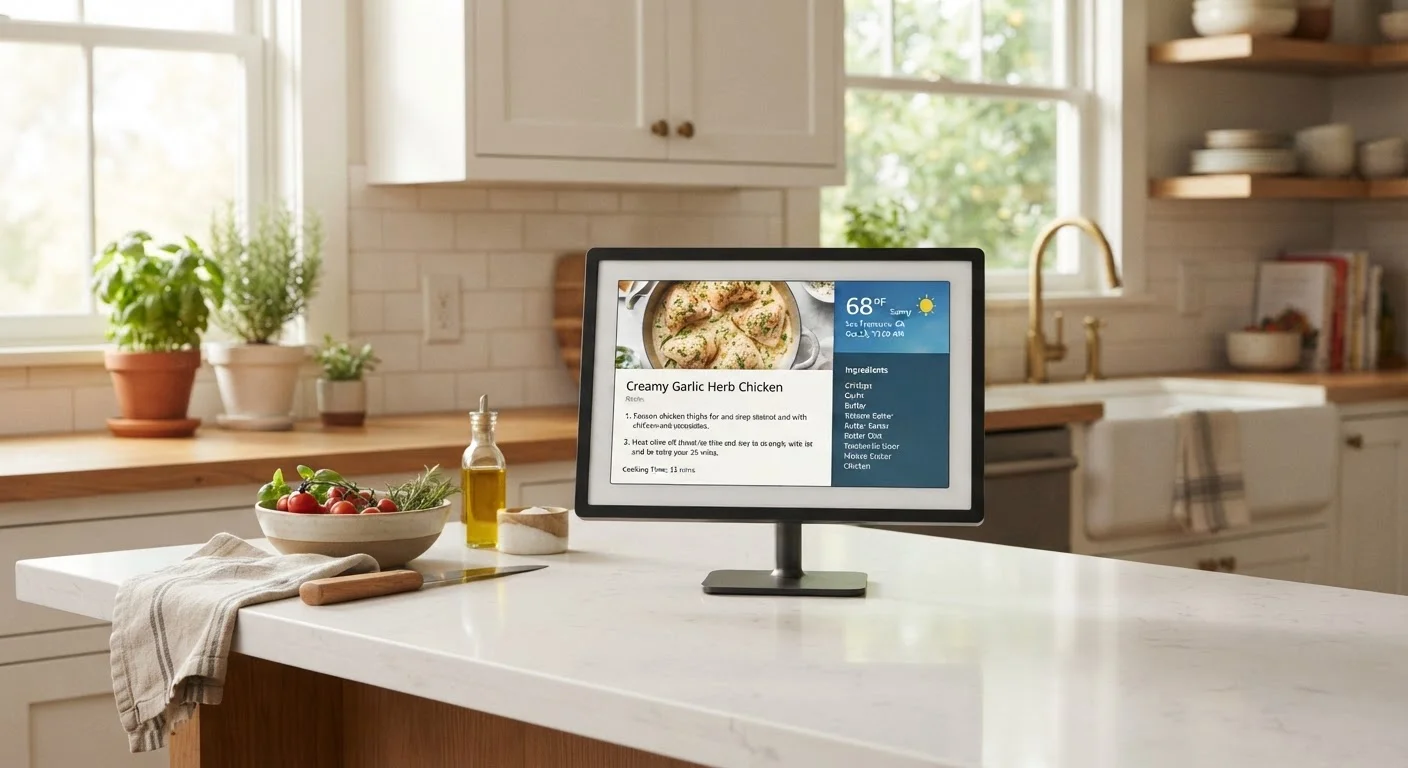
What Is a Smart Display?
A smart display is a screen-equipped device designed to sit in a fixed location - typically a counter, nightstand, or bookshelf - and respond to both voice commands and touch input. Unlike a tablet, it is not meant to be carried around. Unlike a smart speaker, it shows information rather than only speaking it back to you.
The category emerged as manufacturers recognized that a screen adds meaningful value to voice assistants: showing a recipe step-by-step is more useful than having one read aloud. Most smart displays run a simplified, purpose-built interface rather than a full mobile operating system, which makes them easier to glance at quickly but limits what you can install on them.
Think of It as a Dedicated Appliance
The most useful mental model for a smart display is a kitchen appliance, not a computer. It does a few specific tasks exceptionally well in a fixed location. Approaching it with that expectation leads to much higher satisfaction than expecting it to replace a tablet or phone.
How Smart Displays Differ From Tablets and Smart Speakers
The easiest way to understand smart displays is by what they are not. A tablet is a general-purpose portable computer - you browse, work, and run apps on it. A smart speaker is an audio device with no screen at all. A smart display sits deliberately between those two categories, optimized for passive, ambient use rather than active productivity.
If you are weighing whether a tablet would serve you better, our guide to choosing between tablets and laptops provides a practical framework for thinking through task-based needs. For pure voice interaction, consider reading about how smart speakers handle voice data - many of the same concepts apply to smart displays.
~7 inches
Smallest common smart display screen size
Most smart displays range from roughly 7 to 15 inches, with screen size directly affecting kitchen and countertop readability.
3 categories
Distinct device types often confused with smart displays
Tablets, smart speakers, and smart TVs each overlap with smart displays in at least one capability, making category clarity important before purchasing.
What Smart Displays Actually Do Well
Smart displays genuinely shine in a handful of specific scenarios:
- Kitchen use: Hands-free recipe guidance with visible step-by-step instructions and timers is one of the most-cited practical uses.
- Video calling: A fixed, always-ready screen makes spontaneous video calls with family considerably easier than unlocking a phone or firing up a laptop.
- Smart home control: Touchscreen dashboards for controlling lights, thermostats, and locks are a natural fit. Pairing with smart plugs is a common starting point for new smart home users.
- Ambient information: Displaying weather, calendar events, and news headlines at a glance without touching anything - a clock that also shows context.
- Music and media: Streaming audio with album art displayed, or watching short video content while cooking or exercising.
What they do less well: sustained reading, document work, detailed browsing, or anything requiring a full app ecosystem.
Place a smart display where you already tend to stop and look - a kitchen counter, entryway table, or bedside stand - rather than forcing a new behavior. The ambient nature of these devices means location drives utility more than any feature.
Devices used in natural transition points in a home see significantly more daily interaction than those placed in low-traffic areas.
Before setup, spend five minutes in the device's privacy settings: disable data sharing features you don't need, set a voice history auto-delete schedule, and confirm whether the camera is enabled by default.
Default settings across most smart home platforms tend to favor data collection; users who proactively review settings have more control over what is retained.
Privacy Considerations You Should Understand
Smart displays almost universally include both a microphone and a camera. These are active by design - the microphone listens for a wake word, and the camera may enable features like auto-framing during video calls or gesture controls. Most devices include a physical hardware switch to disable one or both, which is meaningfully more secure than a software toggle.
Always-On Devices Have Always-On Risks
A smart display with an active camera and microphone in a bedroom or private space represents a meaningful privacy consideration. Physical hardware mute and camera shutters - not software toggles - are the most reliable way to ensure the device is not listening or watching. Always verify which controls are hardware-based versus software-based for any device you are considering.
Data practices vary by manufacturer. Generally, recorded voice commands are processed and stored by the platform provider - policies differ on how long that data is retained and whether it is used to improve voice models. Reviewing the privacy settings menu and periodically deleting stored voice history is straightforward on most platforms and worth doing.
Households with children should also consider placement carefully. Screen-based devices in shared spaces carry the same content considerations as any connected screen. Our guide to parental controls on screen devices covers general principles that apply here as well.
Who Genuinely Benefits From a Smart Display
Not every household needs one. The clearest candidates are:
- Active smart home users who want a visual control panel rather than shouting commands into the air.
- People who cook frequently and want a counter-mounted recipe assistant with a hands-free, readable screen.
- Households with older adults who benefit from a simple, always-on video calling device. Our guide to tablets for older adults covers overlapping considerations worth reading.
- Families wanting a shared kitchen or living room information hub without dedicating a full tablet or computer to that role.
If your household has no smart home devices, rarely does video calls, and mainly wants music - a smart speaker alone may serve you better at lower cost and complexity.
What to Evaluate Before Choosing One
When assessing smart displays, focus on these factors rather than headline specs:
- Ecosystem compatibility
- Does the platform work with the smart home devices you already own? Mismatched ecosystems significantly reduce utility.
- Screen size relative to placement
- A small screen at countertop distance is easy to read; the same screen across a room is not. Measure your intended placement distance before deciding on screen size.
- Camera and microphone controls
- Prefer devices with physical hardware mute switches rather than software-only controls, especially for bedroom placement.
- Video call platform support
- Not all smart displays support every video calling service. Confirm the platform supports the service your family and contacts actually use.
- Interface simplicity
- Because smart displays run locked-down interfaces, what you see out of the box is largely what you get. Evaluate the default experience, not hypothetical customization.
For broader context on how these devices fit into the wider connected home and personal tech landscape, the Smartphones & Tablets hub and Computers & Laptops hub offer additional grounding on related device categories.
The content on this site is provided for informational purposes only and should not be considered a substitute for professional advice. While we strive to provide accurate and up-to-date information, we make no guarantees regarding its completeness or accuracy. Always consult a qualified professional for advice specific to your circumstances before making any decisions.