

Start here
What Is a Smart Plug and How Does It Work?
Next
What You Can (and Cannot) Automate
Then
Setup: What to Expect on Day One
When you're ready
Security and Privacy Considerations
Going further
Where Smart Plugs Fit in a Broader Smart Home
What Is a Smart Plug and How Does It Work?
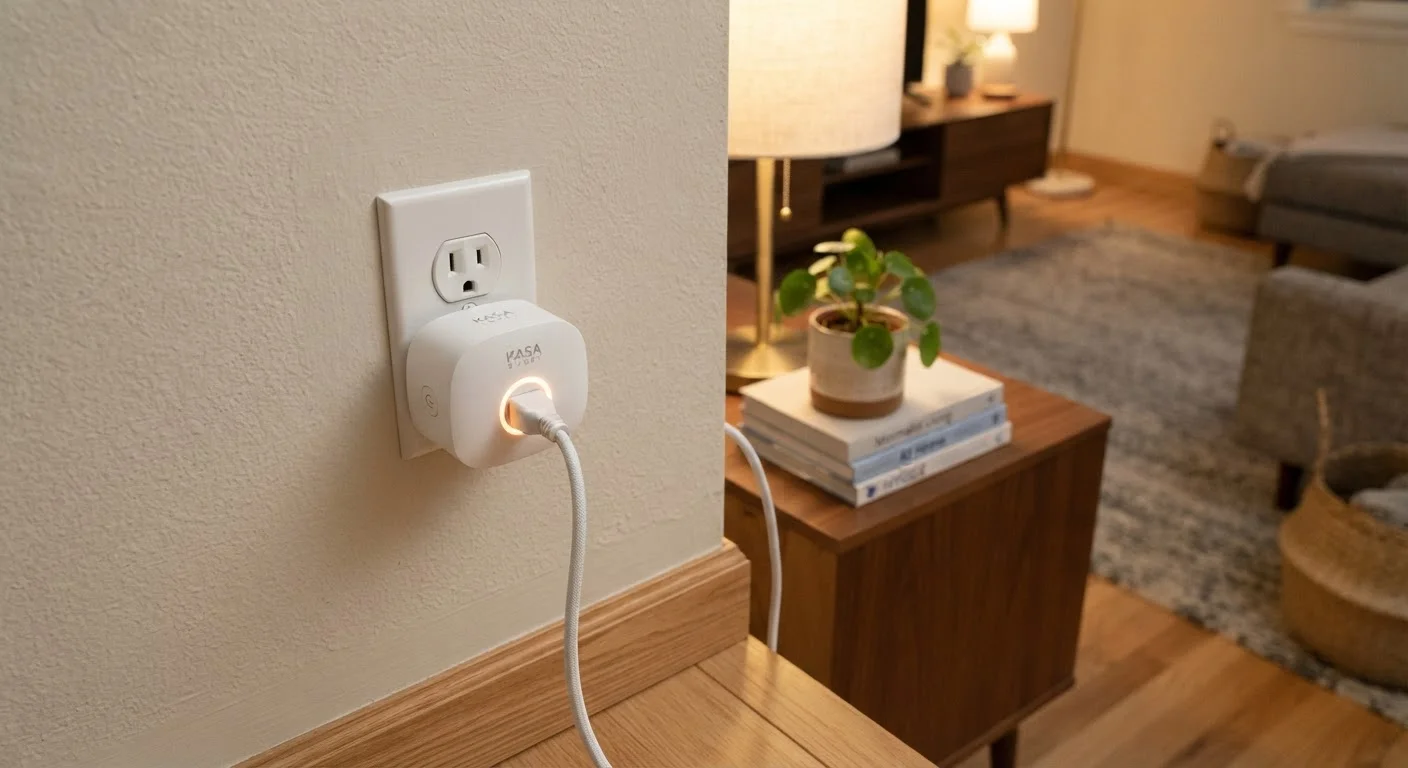
A smart plug is a small adapter that inserts between a standard wall outlet and whatever appliance or lamp you plug into it. Internally, it contains a relay switch - a component that can open or close an electrical circuit - controlled wirelessly over your home Wi-Fi network. When you tap a button in an app or speak a voice command, a signal travels from your phone (or voice assistant) through the cloud to the plug, which then switches power on or off.
Because the plug sits in front of the outlet rather than inside the wall, installation is genuinely as simple as it sounds: plug it in, download the manufacturer's app, connect it to your 2.4 GHz Wi-Fi network, and name the device. No electrician, no tools, no permit required.
Relay switch
A small internal component inside a smart plug that physically opens or closes an electrical circuit, allowing power to flow or stop on command.
2.4 GHz Wi-Fi
A wireless frequency band used by most smart home devices because it travels farther through walls, though it offers slower maximum speeds than 5 GHz.
Standby power
The small amount of electricity a device consumes while it is plugged in but not actively in use - sometimes called "vampire draw."
Voice assistant integration
The ability to link a smart plug to a platform like Amazon Alexa, Google Home, or Apple HomeKit so you can control it with spoken commands.
IoT (Internet of Things)
A broad term for everyday physical devices - like smart plugs, thermostats, and cameras - that connect to the internet to send or receive data and commands.
Wattage rating
The maximum electrical load, measured in watts or amps, that a smart plug is designed to safely handle. Exceeding this limit can create a fire or safety hazard.
This simplicity makes smart plugs a natural first step for anyone curious about home automation - there is almost no risk of damaging anything, and the device is just as easy to remove and return to a standard plug.
What You Can (and Cannot) Automate
Smart plugs shine when paired with devices that behave normally after a cold power cycle. Good candidates include:
- Floor and table lamps - lamps with their physical switch left in the "on" position will turn on and off exactly as you command.
- Coffee makers with manual brew buttons - schedule the plug to power on before you wake up.
- Box fans and small space heaters - subject to the plug's wattage rating (see the FAQ below).
- Phone chargers and desktop power strips - cut power overnight to reduce standby draw.
- Holiday lighting - schedule lights to run only during evening hours.
Where smart plugs fall short: any device that requires a button press to resume operation after power loss. Many modern televisions, gaming consoles, and desktop computers return to a standby or off state when power is cut and restored - meaning the plug can't reliably "turn them on." They can cut power, which may be useful for parental controls or energy saving, but full smart control of those devices generally requires purpose-built smart devices or HDMI-CEC features.
Test With a Lamp First
If you're new to smart plugs, start with a simple floor lamp before experimenting with appliances. Lamps are the most predictable use case - they turn fully on when power is restored - so you'll see exactly how scheduling and voice control work without any surprises.
For more ambitious automation ideas once you're comfortable, see home automation routines worth setting up - a useful next step after mastering smart plugs.
Setup: What to Expect on Day One
Most smart plugs follow a similar setup pattern: plug in the device, open the manufacturer's app, and follow an on-screen pairing wizard. The process typically takes under five minutes. A few things to know beforehand:
- 2.4 GHz vs. 5 GHz Wi-Fi: The majority of consumer smart plugs connect only to 2.4 GHz networks. If your router broadcasts both bands under the same name, you may need to temporarily connect your phone to the 2.4 GHz band during setup.
- App account required: Most platforms require you to create an account to enable remote access and cloud-based scheduling. This is normal, but it also means your automations depend on the manufacturer's servers remaining operational.
- Voice assistant linking: After initial setup, you can link the plug to Alexa, Google Home, or Apple HomeKit through those platforms' apps. The exact steps vary by ecosystem and plug brand.
If you later want to move beyond plugs to more integrated devices - like a thermostat - setting up a smart thermostat covers what that step up in complexity looks like.
Security and Privacy Considerations
Even a simple smart plug creates a connected device on your home network, and that comes with a small but real attack surface. Because the plug communicates through the internet to reach manufacturer servers, a poorly secured account or device can, in theory, be accessed by unauthorized parties.
Practical steps to reduce that risk:
- Use a unique, strong password for your smart home app account and enable two-factor authentication where available.
- Keep the plug's firmware updated - most apps notify you of updates, or apply them automatically.
- Consider placing smart home devices on a separate guest or IoT network if your router supports it, which limits their access to other devices like your laptop or phone.
For a thorough treatment of this topic, keeping your smart home secure covers network segmentation and update habits in detail.
Where Smart Plugs Fit in a Broader Smart Home
Smart plugs occupy a unique position in home automation: they are the lowest-friction entry point available, but they are intentionally limited in scope. They don't replace smart lighting systems, smart switches, or purpose-built connected appliances - they complement them by bringing basic on/off control to devices that otherwise have none.
As your interest grows, you may find yourself wanting devices designed from the ground up for smart control - from smart locks to smart displays. Each adds capability but also adds setup complexity and cost. Smart plugs let you build comfort with the ecosystem - scheduling, voice control, app management - before committing to anything harder to reverse.
For general guidance on household essentials beyond tech, the Home Essentials hub offers practical, non-technical advice across appliances and organization. Smart plugs remain one of the few gadgets that genuinely deliver on their promise of simplicity - they do exactly what they advertise, with very little that can go wrong.
Frequently Asked Questions
Most consumer smart plugs rely on a Wi-Fi connection to receive remote commands and run schedules. If your router goes offline, the plug typically can still be toggled manually on the device itself, but app control and scheduling will not function until connectivity is restored.
A smart plug can cut or restore power to a TV or monitor, but it cannot replicate pressing a power button. Many televisions return to a standby state when power is restored rather than turning on fully, so results vary by device.
No. A smart plug is a portable adapter that fits into an existing outlet, while a smart switch replaces the wall switch itself and requires wiring. Smart plugs are far easier to install; smart switches offer a cleaner, built-in look.
A typical smart plug draws roughly 1-2 watts of standby power to maintain its Wi-Fi connection. Over a year, this is a small but nonzero amount - worth noting if you have many plugs running simultaneously.
Many smart plugs support one or more major voice assistant platforms, but compatibility varies by manufacturer and model. Check the product packaging or manufacturer's specifications against the ecosystem you already use before purchasing.
Smart plugs have maximum load ratings, commonly around 10-15 amps. Using them with appliances that exceed this rating - such as space heaters or air conditioners - can be a safety hazard. Always verify the plug's rated capacity against the appliance's power draw.
The content on this site is provided for informational purposes only and should not be considered a substitute for professional advice. While we strive to provide accurate and up-to-date information, we make no guarantees regarding its completeness or accuracy. Always consult a qualified professional for advice specific to your circumstances before making any decisions.