

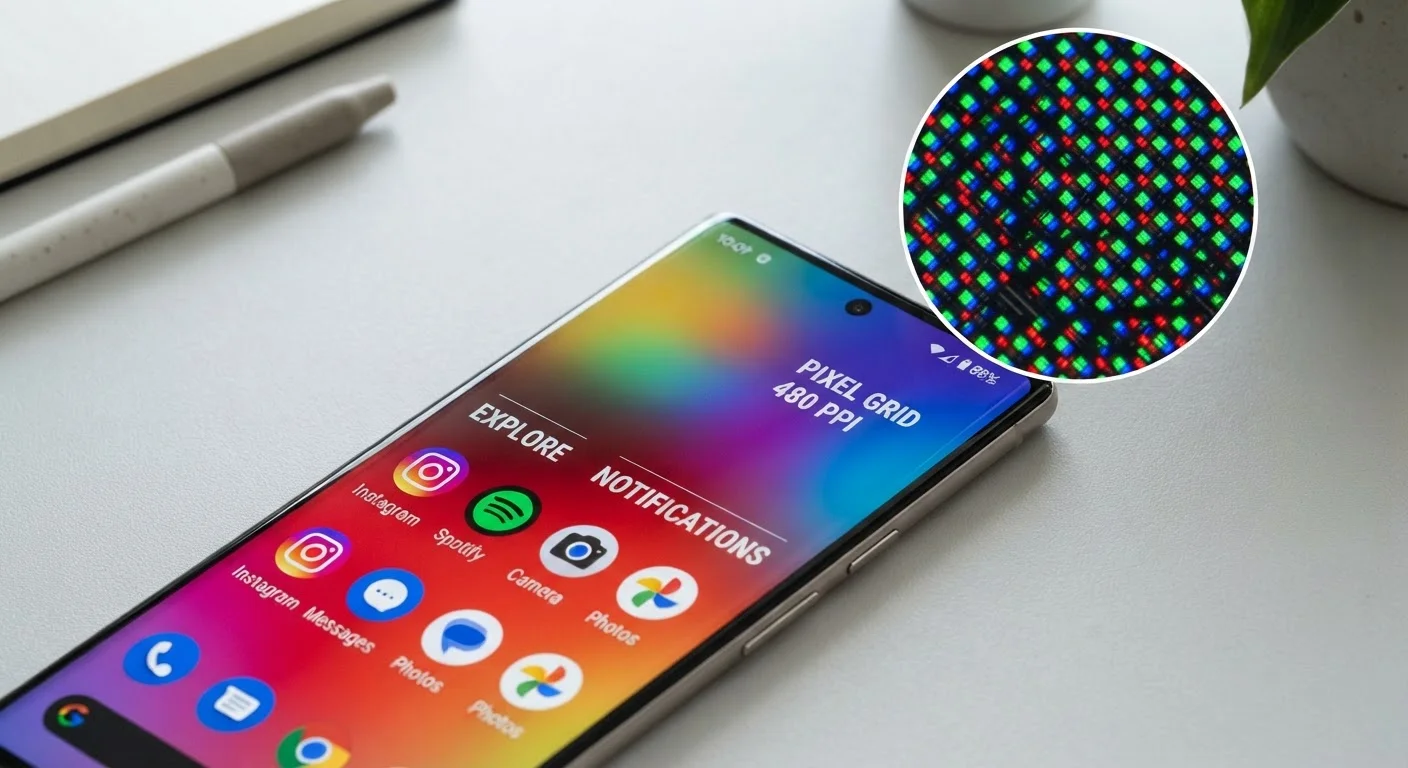
Resolution: Sharp Is About More Than Big Numbers
When a spec sheet lists something like "2400 × 1080 pixels," it's telling you the total number of tiny colored dots - pixels - that make up the image. More pixels in the same space means finer detail, smoother curves on text, and crisper photos.
But raw resolution figures can be misleading without context. What actually matters is pixel density, expressed as pixels per inch (PPI). A 1080p screen on a compact 5-inch phone packs pixels much more tightly than the same resolution on a large 6.7-inch display. As a result, the smaller screen often looks visibly sharper even though the resolution is identical.
In practice, most people stop noticing pixel-level sharpness improvements somewhere above 300-400 PPI, because individual pixels become too small to distinguish at normal viewing distances. This is why chasing the highest resolution number doesn't always translate to a meaningfully better viewing experience. See our full smartphone spec sheet guide for how resolution fits alongside other key figures.
Refresh Rate: Why Smoothness Has a Number
Refresh rate is measured in hertz (Hz) and describes how many times per second the display redraws the image it's showing. A standard 60Hz screen refreshes 60 times a second. A 120Hz display does it twice as often.
The practical result is that higher refresh rates make scrolling, swiping, and animations appear smoother and more fluid. At 60Hz, fast movement can look slightly choppy or blurry. At 90Hz or 120Hz, the same motion looks more like natural movement.
Adaptive Refresh Rates Save Battery
If a phone supports adaptive refresh rate technology, it can automatically drop to 1Hz or 10Hz when displaying a static image, then jump back to 90Hz or 120Hz the moment you start scrolling. This means you get the smoothness benefit without a constant battery penalty. When evaluating specs, check whether the refresh rate is fixed or adaptive.
Some phones use adaptive refresh rate technology, which automatically lowers the refresh rate when the screen is displaying static content - like a webpage you've stopped scrolling - and ramps it back up during movement. This approach reduces battery consumption without sacrificing smoothness during active use.
If smooth scrolling matters to you - especially for reading or social media feeds - refresh rate is one of the more perceptible differences you can experience in a side-by-side comparison before purchasing.
Brightness and Panel Type: Seeing the Whole Picture
Brightness is measured in nits. A higher nit count means the screen can get brighter, which directly affects how visible it is outdoors or in sunlit rooms. Indoor use rarely demands extreme brightness, but anyone who frequently uses their phone outside will notice the difference between a 600-nit screen and a 1,200-nit screen on a sunny day.
It's also worth distinguishing between typical brightness (what the screen sustains during normal use) and peak brightness (a brief maximum reached under specific conditions, like HDR content playback). Manufacturers sometimes advertise peak figures prominently, so checking typical brightness gives a more realistic picture of daily performance.
300+ PPI
Typical threshold where sharpness gains become imperceptible
Display technology research broadly holds that most human eyes cannot resolve individual pixels above approximately 300 PPI at standard arm's-length viewing distances.
120Hz
Refresh rate now common in mid-range and premium smartphones
Higher refresh rates, once limited to flagship devices, have become increasingly common across mid-range phone categories as panel production costs have declined.
1,000+ nits
Peak brightness often needed for outdoor sunlight visibility
Industry guidance from display testing organizations generally suggests that sustained brightness above 800-1,000 nits is needed for clear readability in direct sunlight conditions.
Panel technology shapes what brightness figures actually deliver. OLED (Organic Light-Emitting Diode) screens produce light at the individual pixel level. When a pixel needs to display black, it simply turns off - creating true blacks and sharp contrast. LCD (Liquid Crystal Display) screens use a continuous backlight behind the panel; this can cause slight light bleed in dark scenes, though modern LCD technology has narrowed the gap considerably.
Color accuracy is another dimension of panel quality. Both OLED and LCD can be well-calibrated, but cheaper implementations of either technology may show color shifts at extreme viewing angles or inaccurate color reproduction overall. For photo editing or color-sensitive work, this distinction matters more than for casual browsing.
For a look at how display specs compare to what matters on larger screens, our guide on what shoppers get wrong choosing a laptop screen covers similar trade-offs in a different context. If you want to understand the full range of figures on a phone's spec sheet - including camera and connectivity specs - our camera specs explainer is a useful companion read.
Putting It All Together
No single display spec determines whether a screen is good. A phone with an extremely high resolution but poor brightness calibration may look washed out in sunlight. A 120Hz panel with mediocre color accuracy may feel smooth but look flat. The specs are most useful when evaluated as a set rather than in isolation.
When comparing devices, consider: Is PPI high enough for your screen size? Does the refresh rate match how you use the phone? Is typical - not just peak - brightness adequate for your environment? And does the panel technology align with how you value contrast versus color consistency?
Pairing these display fundamentals with an understanding of other spec areas - as covered in our guide to RAM, storage, and processor specs - gives you a more complete picture of what any device will actually deliver in daily use.
Frequently Asked Questions
These terms refer to vertical pixel count - 1080p means 1,080 rows of pixels, and 4K means roughly 2,160 or more. On a phone screen smaller than 7 inches, the difference between 1080p and 4K is often invisible to the naked eye because the pixels are already packed so tightly together.
For most people, 120Hz makes scrolling and UI animations noticeably smoother compared to the standard 60Hz. The trade-off is slightly higher battery consumption, though many phones now use adaptive refresh rates that scale down when high refresh isn't needed.
For comfortable indoor use, around 400-600 nits is generally sufficient. For clear visibility in direct sunlight, you typically want at least 800-1,000 nits peak brightness. HDR-capable screens may advertise peak brightness figures that only apply briefly under specific conditions.
OLED screens produce light at the individual pixel level, so pixels can turn fully off to create true blacks and higher contrast. LCD screens use a backlight behind the panel, which can cause some light bleed in dark scenes. OLED panels are generally thinner and more power-efficient when displaying dark content.
Yes. Pixels per inch (PPI) accounts for screen size, making it a more reliable sharpness indicator than total resolution alone. A 1080p display on a 5-inch screen can look sharper than the same resolution on a 6.7-inch screen because the pixels are more densely packed.
Yes, in two main ways. Higher refresh rates draw more power, and very high brightness levels consume significantly more energy. OLED displays can offset this somewhat when displaying dark themes, since dark pixels use minimal power.
The content on this site is provided for informational purposes only and should not be considered a substitute for professional advice. While we strive to provide accurate and up-to-date information, we make no guarantees regarding its completeness or accuracy. Always consult a qualified professional for advice specific to your circumstances before making any decisions.