

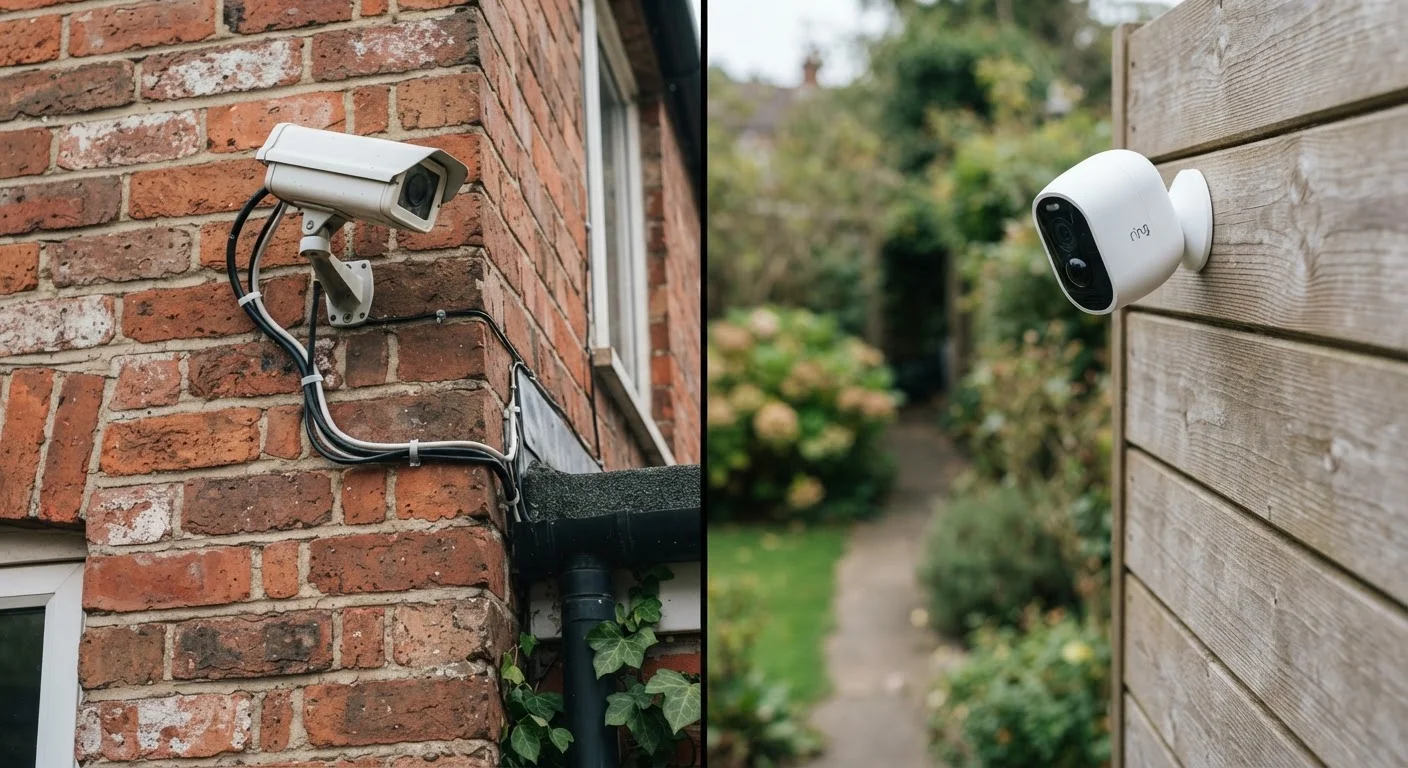
Option A
Wired Security Cameras
The reliable, always-on infrastructure choice.
Best for: Homeowners who want uninterrupted recording, no battery management, and permanent installations.
Option B
Wireless Security Cameras
The flexible, low-installation alternative.
Best for: Renters or users who need quick setup, portability, or coverage in hard-to-wire locations.
How Each System Actually Works
Wired security cameras transmit video through a physical cable - either a traditional coaxial cable connected to a DVR, or an Ethernet cable connected to a NVR. Power-over-Ethernet (PoE) systems use a single cable for both data and power, which simplifies the physical setup even though it still requires cable runs through walls or ceilings.
Wireless cameras - sometimes called Wi-Fi cameras - connect to your home network over a wireless signal and either upload footage to cloud storage or write it to a local card. Most still require a power outlet or run on rechargeable batteries, meaning "wireless" typically refers only to the data connection, not always the power source. Fully wire-free models handle both via battery, but introduce charging cycles into the equation.
Understanding this distinction matters immediately: a "wireless" camera mounted near an outlet with a power cable is really just a camera with wireless data transmission. True wire-free cameras eliminate all physical connections but add battery management as an ongoing task.
| Criterion | Wired Cameras | Wireless Cameras |
|---|---|---|
| Installation complexity | High - cable runs required | Low - mount and connect to Wi-Fi |
| Power source | Continuous via cable | Outlet or rechargeable battery |
| Footage storage | Local DVR/NVR (no subscription) | Cloud subscription or microSD |
| Reliability during outages | High with UPS backup | Limited - depends on router power |
| Flexibility/portability | Fixed once installed | Easily moved or added |
| Network attack surface | Minimal (closed local network) | Higher (internet-connected) |
| Ongoing maintenance | Very low | Battery charging, subscription mgmt |
Installation: Where the Real Effort Hides
Wired systems demand more upfront effort. Cable runs through walls, attic spaces, or exterior conduit require planning, tools, and in many cases, a professional installer. In multi-story homes or older construction, routing cables cleanly can be a significant undertaking. The payoff is a permanent, tidy system that requires virtually no ongoing maintenance beyond checking footage.
Wireless cameras reduce installation to mounting a bracket and connecting to Wi-Fi. That said, placement decisions are more constrained than they appear - walls, distance from the router, and competing devices all affect signal quality. If your current Wi-Fi network has coverage gaps, adding cameras can expose those weaknesses. It's worth reading our guide on mesh Wi-Fi versus traditional routers before placing cameras in areas with marginal signal.
For battery-powered models, placement near easily accessible spots for periodic charging is a practical constraint many buyers underestimate until after installation.
Footage Storage: Local vs Cloud
This is the trade-off buyers most commonly overlook. Wired DVR and NVR systems store video locally on hard drives. Once the hardware is purchased, there are typically no recurring fees - footage stays in your home and is accessible without an internet connection.
Most wireless cameras are designed around cloud storage subscriptions. Footage is uploaded to a vendor's servers, usually requiring a paid plan to access more than a short rolling window of clips. Some models offer local microSD card storage as an option, but this varies widely and may limit features like continuous recording or remote playback.
~60%
Wireless camera owners using cloud storage
Industry surveys consistently show the majority of wireless camera users rely on vendor cloud plans for footage retention beyond 24-48 hours.
2-6 months
Typical wire-free battery life range
Manufacturer estimates for battery-powered cameras typically range from two to six months, but real-world life varies with motion frequency and temperature.
From a privacy standpoint, local storage keeps footage within your physical control. Cloud storage adds convenience and off-site redundancy but also means footage passes through a third-party infrastructure. For guidance on reducing the broader network risks that come with connected devices, see our article on smart home network security practices.
Reliability, Power, and Network Dependencies
Wired PoE cameras have a significant reliability advantage: as long as the network switch has power, they record. Pairing the NVR and switch with an uninterruptible power supply (UPS) means the system continues working through a brief power outage - exactly the moment a security system matters most.
Wireless cameras face a layered dependency chain: the camera needs power (battery or outlet), your router needs power, and the internet connection needs to be active for cloud-based features to function. Any one of those failing stops remote viewing and cloud recording. Local SD card models offer some resilience, but alerts and live viewing typically still require network access.
Battery life for wire-free cameras varies significantly based on motion frequency, temperature, and video quality settings. High-activity areas - a front door or driveway - can drain batteries in weeks rather than months. This is a genuine operational overhead, not a minor footnote.
The parallel to other wired-versus-wireless decisions is worth noting: reliability versus convenience is a recurring trade-off across many home technology choices, from CarPlay and Android Auto adapters to vacuum cleaners.
Making the Right Call for Your Home
Neither system is objectively superior - the right choice depends on what you're protecting, your home's layout, and how much ongoing management you're willing to accept.
If you own your home, plan to stay long-term, and want the most reliable coverage with no recurring costs, a wired system is worth the installation investment. If you're renting, covering a location without practical cable access, or want to get something running quickly, wireless cameras are a reasonable and capable alternative - provided you account for storage costs and network quality.
One practical approach: use a wired system for high-priority fixed points like entry doors and driveways, and supplement with wireless cameras for secondary locations like a side gate or detached structure where running cable is impractical.
Whichever direction you go, strong Wi-Fi coverage and good network hygiene matter more than most buyers realize. Your home's Wi-Fi standard and router capability can meaningfully affect how reliably wireless cameras perform day to day.
The content on this site is provided for informational purposes only and should not be considered a substitute for professional advice. While we strive to provide accurate and up-to-date information, we make no guarantees regarding its completeness or accuracy. Always consult a qualified professional for advice specific to your circumstances before making any decisions.