

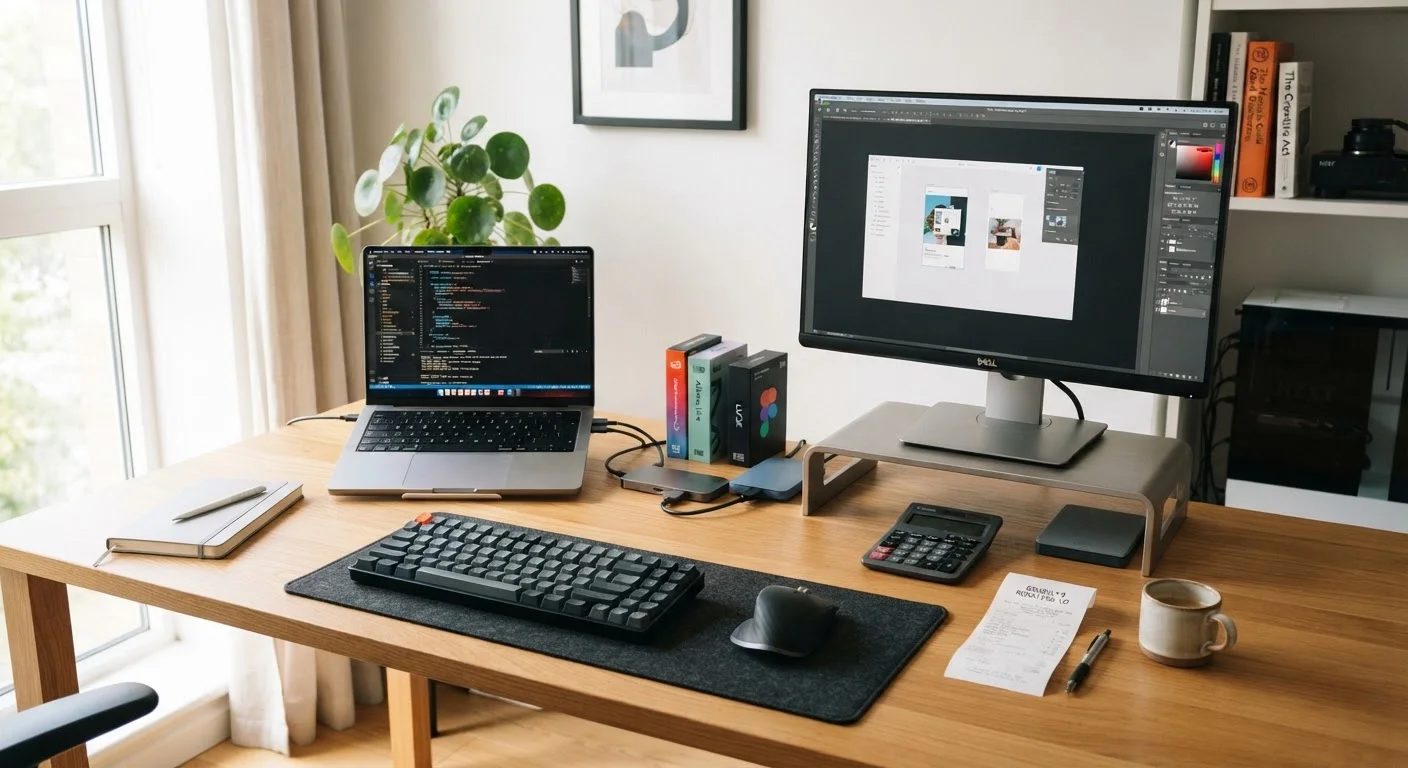
Why the Purchase Price Is Just the Starting Point
When most people shop for a computer, they focus on the number on the price tag. That instinct is understandable - it's the most visible figure. But the purchase price typically represents only a fraction of what a computer will cost over its working life.
Understanding the full picture matters whether you're choosing between a laptop and a desktop (see our guide on laptop vs. desktop trade-offs) or buying your very first machine. The concept of total cost of ownership (TCO) - familiar to anyone who has thought about the real cost of owning a vehicle - applies just as directly to computers.
Costs accumulate across several categories: software, accessories, maintenance, energy, and eventual replacement. Mapping these out in advance prevents unpleasant surprises and helps you make a more honest comparison between different models or configurations.
$500-$1,500
Typical 5-year software subscription cost
Estimated across common productivity, security, and cloud storage subscriptions at average retail pricing.
$150-$500
Typical initial accessories spend
Based on common peripheral needs including monitors, input devices, storage, and adapters for a new computer setup.
4-6 years
Realistic laptop lifespan with maintenance
Industry observers and consumer technology analysts generally cite this range for well-maintained consumer laptops.
Software and Subscription Costs
The software layer is where ongoing costs quietly mount. Operating systems are typically included, but productivity suites, security tools, creative applications, and cloud storage services often carry recurring fees.
- Productivity software: Subscription-based office suites commonly run $70-$100 per year for a personal plan, though free alternatives exist with meaningful trade-offs.
- Antivirus and security tools: Many users pay $30-$60 annually for third-party security software, though modern operating systems include baseline protection built in.
- Cloud storage: Free tiers fill quickly. Paid plans for major cloud services typically range from $20-$100 per year depending on storage capacity.
- Specialized software: Designers, video editors, and audio professionals may pay $50-$600 or more annually for industry tools.
Over a five-year ownership period, software subscriptions alone can easily total $500-$1,500 - sometimes exceeding the hardware cost of a budget machine. Factoring these in before buying is a smarter approach than discovering them afterward. The pattern closely mirrors hidden smartphone ownership costs, where subscriptions pile up invisibly.
Before committing to a software subscription, check whether your local library or employer offers free access - many do for productivity suites and security tools.
Institutional licenses are widely available but underutilized, and they can eliminate one of the largest recurring costs in computer ownership.
When evaluating two machines at different price points, calculate the per-year cost over your expected ownership period - a pricier, more durable machine often comes out cheaper annually.
Upfront price comparisons ignore the compounding value of longevity, which is one of the most common mistakes non-technical buyers make.
Accessories and Peripherals
Few computers arrive ready for productive daily use without additional purchases. Accessories range from genuine necessities to quality-of-life improvements that many users eventually consider essential.
- External monitors: Laptops with smaller screens often pair with an external display. Monitors range from roughly $100 to $500+ depending on size and resolution.
- Keyboards and mice: Desktop systems require them; laptop users often add them for comfort during long sessions.
- Cases and bags: Laptop users typically need protective carry solutions ($30-$150).
- External storage: Portable hard drives or SSDs for backup or expanded capacity run $50-$200.
- USB hubs and adapters: Modern thin laptops with limited ports often require dongles or hubs ($20-$80).
- Webcams and headsets: Remote work and video calls have made these near-standard additions.
A realistic accessories budget of $150-$500 at purchase time is reasonable for most users, with additional spending likely over the ownership period.
Maintenance, Repairs, and Upgrades
Hardware doesn't stay in its original condition indefinitely. Understanding what might need attention - and what that attention costs - is a meaningful part of ownership planning.
Common maintenance costs include:
- Battery replacement: Laptop batteries degrade over years of charge cycles. Replacement costs vary widely by manufacturer and model - typically $50-$200 if done professionally.
- Screen repair: Accidental damage to a laptop display is one of the costlier repairs, often $150-$400 depending on the model.
- Storage and RAM upgrades: Some desktops and older laptops allow user-upgradeable components that can meaningfully extend useful life at lower cost than full replacement.
- Cleaning and thermal maintenance: Dust buildup inside a system can cause overheating and performance throttling; professional cleaning runs $50-$100.
Our guide on what determines how long a laptop stays useful explores how maintenance habits directly affect lifespan. A machine that lasts six years instead of four delivers substantially better value per dollar spent.
Energy and Internet Costs
Two costs that rarely appear in any product comparison are electricity and broadband - yet both are real and ongoing.
Electricity: A desktop PC with a monitor draws significantly more power than a laptop. A desktop system running several hours daily might add $30-$80 per year to an electricity bill, while laptops typically cost considerably less to run. Over five years, that differential compounds.
Internet service: A computer is functionally limited without broadband. While you likely already pay for internet service, upgrading to a faster tier specifically to support a new computer (for streaming, video calls, or cloud-heavy workflows) is a cost attributable to ownership.
Neither figure is large in isolation, but they belong in an honest total-cost calculation - particularly when comparing a budget desktop to a more efficient laptop, or when a household is adding a second machine.
How to Estimate Your True Total Cost
Pulling these figures together gives you a working estimate of what a computer will actually cost over a realistic ownership period. A simple framework helps:
- Define your ownership horizon. Three years is conservative; five to six years is realistic for quality hardware that's maintained well.
- List likely software subscriptions and multiply the annual cost by your ownership horizon.
- Budget for accessories upfront - be honest about what you'll actually need, not just what comes in the box.
- Set aside a maintenance reserve. Even $100-$150 per year is a reasonable buffer for minor repairs, peripherals that wear out, or one significant fix.
- Add energy costs based on expected daily use and your local electricity rate.
For deeper guidance on choosing the right starting hardware - which affects many of these downstream costs - our complete guide to buying a computer walks through every decision from specs to purchase. Making a well-matched choice at the outset is often the single most effective way to reduce total ownership cost over time.
The purchase price sets the floor. Everything else determines what the ceiling looks like - and for most users, that ceiling is considerably higher than the sticker suggested.
The content on this site is provided for informational purposes only and should not be considered a substitute for professional advice. While we strive to provide accurate and up-to-date information, we make no guarantees regarding its completeness or accuracy. Always consult a qualified professional for advice specific to your circumstances before making any decisions.