

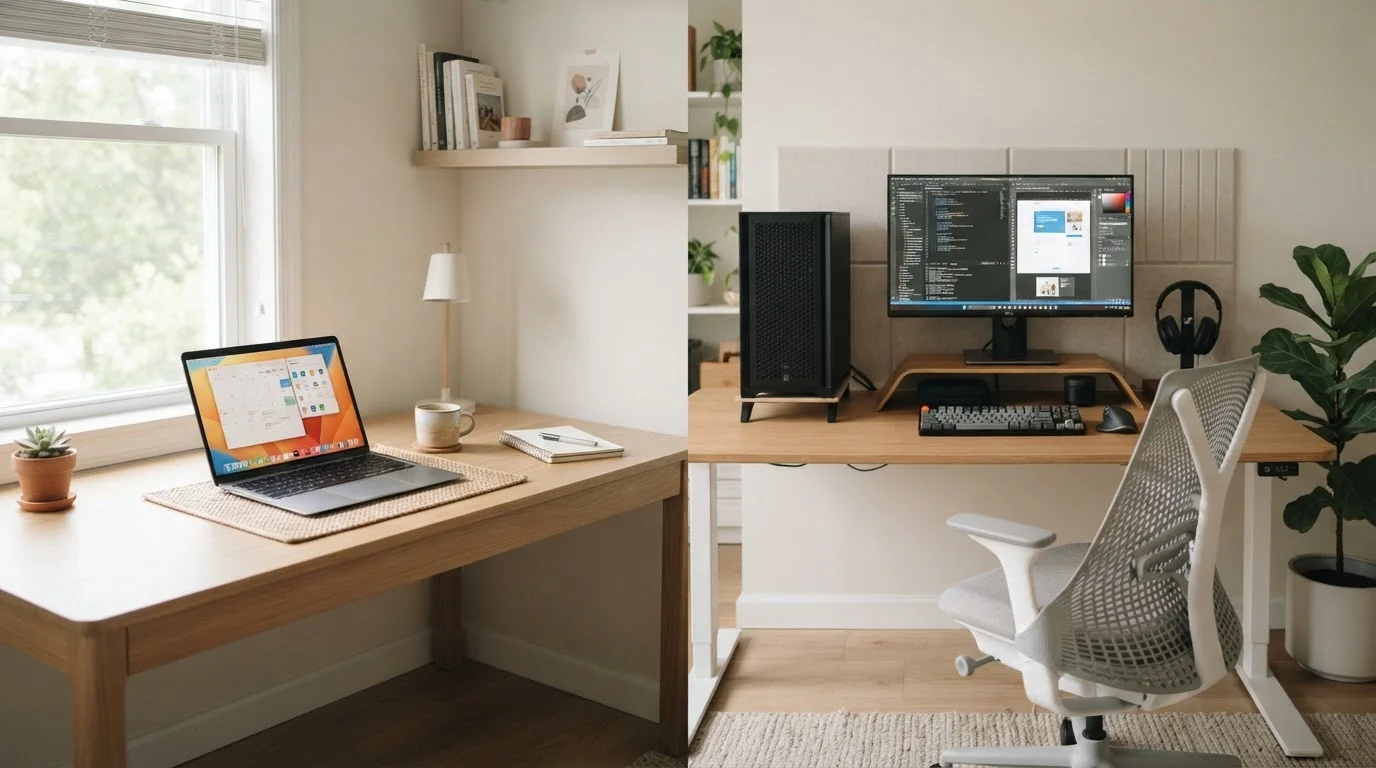
Option A
Laptop
The flexible, go-anywhere computing solution.
Best for: Anyone who works or studies across multiple locations and values the freedom of built-in portability.
Option B
Desktop PC
The stationary powerhouse built for permanence.
Best for: Users who work primarily from one location and want maximum performance, upgradeability, and screen real estate for the money.
The Core Trade-Off: Portability vs. Power
The laptop vs. desktop decision comes down to one fundamental tension: freedom of movement versus raw capability. Laptops pack everything - processor, memory, storage, display, keyboard, battery - into a single portable unit. That engineering feat requires compromises in cooling, component size, and repairability that desktop PCs simply don't face.
A desktop can run larger, hotter, and more powerful components because it isn't constrained by weight limits or battery life. It also benefits from superior airflow, which helps sustain peak performance over longer work sessions without throttling - a process where a device automatically slows itself down to prevent overheating.
For most everyday tasks - web browsing, email, video calls, word processing - both form factors perform adequately. The gap widens significantly for sustained heavy workloads. If you regularly edit high-resolution video, run large spreadsheets, or use demanding creative software, the thermal headroom a desktop offers becomes a meaningful real-world advantage. For a closer look at how portability and performance pull against each other within laptops themselves, see how portability and raw power trade off.
| Criterion | Laptop | Desktop PC |
|---|---|---|
| Portability | Fully portable, built-in battery | Stationary, requires power outlet |
| Performance per dollar | Lower at same price point | Generally higher at same price point |
| Upgradeability | Limited - often RAM and storage only | Extensive - most components replaceable |
| Display | Built-in screen included | Separate monitor required |
| Repairability | Often difficult, proprietary parts | Generally easier, standard parts |
| Space required | Minimal - folds away | Dedicated desk space needed |
| Sustained heavy workloads | May throttle under extended load | Handles sustained performance well |
| Setup complexity | Low - self-contained out of box | Moderate - peripherals required |
Cost: What You Pay Upfront and Over Time
The sticker price is only part of the story. At equivalent price points, desktop PCs typically deliver noticeably faster processors and better graphics performance than laptops, because manufacturers don't have to engineer for compactness or battery efficiency.
Laptops, however, often require fewer accessories out of the box - no separate monitor, keyboard, or mouse needed. That can close the gap for buyers who would otherwise need to purchase a full desktop setup from scratch.
Where desktops pull ahead over time is upgradeability. When a laptop's RAM becomes insufficient or its storage fills up, many modern thin-and-light designs make those components difficult or impossible to swap out. A desktop, by contrast, allows component-level upgrades - extending useful life without replacing the entire machine. The full cost of owning a computer - including accessories, repairs, and eventual upgrades - is worth factoring into any decision.
~3-5 years
Typical laptop battery lifespan before noticeable degradation
Battery longevity varies by usage patterns and charge habits; manufacturers generally rate batteries for 300-500 full charge cycles.
15-30%
Typical performance gap between laptop and desktop at the same price
General industry analysis suggests desktop components consistently outperform mobile equivalents at equivalent price points due to thermal and power constraints.
Battery replacement is a laptop-specific cost many buyers overlook. Lithium-ion batteries degrade with charge cycles, and after a few years, runtime can fall significantly. Replacement costs and availability vary widely depending on the model.
Practical Fit: Matching the Form Factor to Your Life
The honest question isn't which is objectively better - it's which fits the way you actually live and work. Think about where you use a computer most. If your device rarely leaves a desk, a laptop's portability is a feature you're paying for but not using.
Consider your workspace too. A dedicated desk with enough room for a monitor, tower, and peripherals suits a desktop well. If your home doesn't have a permanent setup, or if you hot-desk between locations, a laptop's self-contained design is genuinely convenient rather than just a marketing point.
Households with multiple users - or anyone who takes a computer between home and an office - will often find the flexibility of a laptop justifies its trade-offs. For a more detailed breakdown of how specific tasks should inform your hardware choices, matching your computer to what you actually do is a useful next step.
It's also worth considering what you might connect to either device. Both form factors can be paired with external monitors, keyboards, and storage - but desktops are generally more accommodating of multiple monitors and high-end peripherals without needing adapters or docking stations.
If you're leaning toward a laptop and have settled on a model, the new laptop setup checklist covers the practical steps to get up and running securely from day one.
The content on this site is provided for informational purposes only and should not be considered a substitute for professional advice. While we strive to provide accurate and up-to-date information, we make no guarantees regarding its completeness or accuracy. Always consult a qualified professional for advice specific to your circumstances before making any decisions.