

Our Verdict
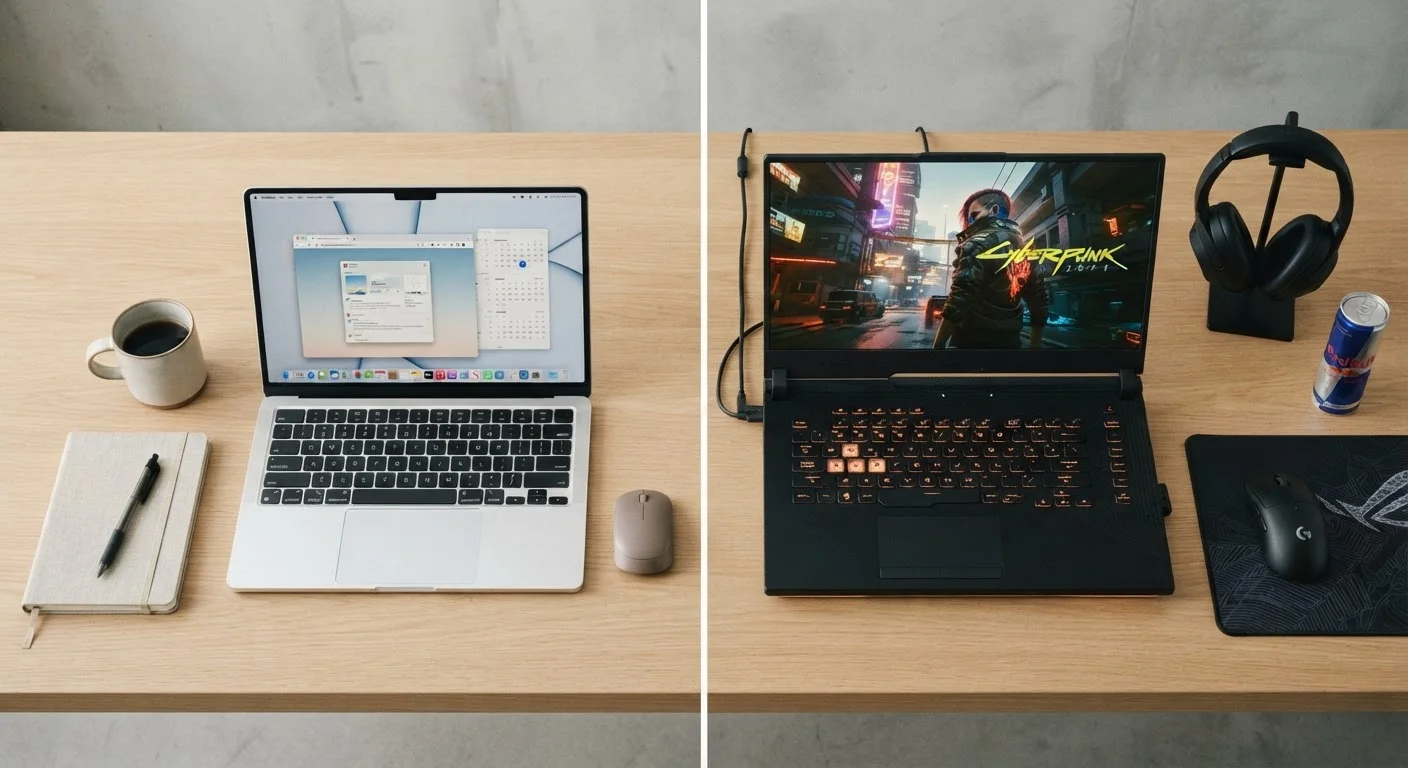
The portability-versus-performance trade-off is real and unavoidable - physics and thermal engineering set firm limits on what any chassis can deliver. Prioritizing one end of the scale means accepting meaningful compromises on the other. Understanding exactly what gets sacrificed, and whether those sacrifices affect your daily workflow, is the only honest way to evaluate which laptop category genuinely fits your life.
Readers who travel frequently or work from multiple locations will benefit most from leaning toward portability, while those doing creative, technical, or compute-heavy work at a fixed desk will find the weight and bulk of a higher-performance machine worthwhile.
Why the Trade-Off Exists in the First Place
Every laptop is constrained by the same physical realities: heat, battery chemistry, and chassis volume. Processors and graphics hardware generate heat when working hard, and that heat has to go somewhere. Thicker, heavier laptops can accommodate larger fans, wider heat pipes, and better airflow - which means chips can run at their rated speeds for longer without throttling back. Ultra-thin designs compress all of that into a narrower space, which forces the hardware to dial down its power limits to stay within safe temperatures.
This isn't a flaw in engineering - it's a deliberate set of trade-offs. Manufacturers tune thin laptops to prioritize silence, cool surfaces, and battery efficiency over peak output. Neither approach is wrong; they simply serve different users. The challenge is that marketing rarely spells out these limits plainly, leaving many buyers surprised when a slim, expensive machine struggles with tasks they expected it to handle.
For a broader look at whether a laptop even makes sense for your situation, see our comparison of laptops and desktops - some use cases are better served by a fixed setup entirely.
What You Give Up When You Go Ultra-Portable
Thin-and-light laptops - typically under 3 lbs and less than 0.6 inches thick - make real compromises to hit those numbers.
Lighter weight reduces daily carry fatigue significantly
Ultra-portable laptops often weigh under 2.5 lbs, making a measurable difference for commuters and frequent travelers who carry their machines for hours.
Better battery life in everyday use scenarios
Reduced power draw from low-voltage chips and smaller screens means many thin laptops sustain 10-15 hours of light use on a single charge.
Slimmer profiles fit more easily in bags and tight spaces
A chassis under 0.6 inches thick slides into a sleeve or slim backpack without adding bulk, which matters when space is limited.
Sustained peak performance under demanding workloads
Larger thermal systems in powerful laptops allow processors and GPUs to run at or near their rated speeds for extended periods, not just short bursts.
More ports and upgrade paths on thicker designs
Bigger chassis accommodate full-size USB-A ports, HDMI, SD card slots, and sometimes user-accessible storage - reducing reliance on external adapters.
Better cooling leads to more consistent long-term performance
Hardware running below its thermal ceiling degrades more gradually over time, which can translate to a longer useful life for the machine.
Thin laptops throttle under sustained processing loads
Narrow chassis limit airflow, forcing chips to reduce clock speeds after a few minutes of continuous high-demand work - a gap that compound tasks like video rendering make obvious.
Port selection shrinks on ultra-slim designs
Many thin laptops ship with only USB-C ports, making dongles or hubs a daily necessity for anyone using legacy peripherals or external displays.
Components are typically soldered and non-upgradeable
RAM and storage in ultra-portable designs are usually fixed at manufacture, meaning the specs you purchase are the specs you keep for the laptop's entire life.
High-performance machines are heavy and bulky to carry
Powerful laptops regularly exceed 5-6 lbs, and their large power adapters add further weight - making daily transport a genuine physical consideration.
Battery life drops sharply under real workloads
Rated battery figures for powerful laptops typically assume light use; under gaming or rendering loads, runtime can fall to 2-3 hours or less.
Fan noise becomes intrusive in shared environments
Aggressive cooling fans in high-performance laptops are audible at moderate distances, which can disrupt quiet spaces like libraries or open-plan offices.
The most significant loss is sustained performance. A chip that benchmarks impressively in a short burst may throttle to a fraction of that output after a few minutes of continuous load. Video exports, large spreadsheet calculations, and software compilations are the kinds of tasks that expose this gap. For casual browsing, video calls, and document work, most users won't notice - but for anything compute-intensive, the ceiling appears quickly.
Port selection also shrinks. Thin chassis often limit you to one or two USB-C connectors, which means dongles or hubs become a daily reality. Storage is usually soldered to the motherboard and cannot be upgraded later, so the capacity you buy at purchase is what you live with for the laptop's lifetime.
If display quality is important to your decision, our guide on what buyers miss when evaluating laptop screens covers overlooked factors that affect daily comfort.
What You Give Up When You Prioritize Raw Power
High-performance laptops - workstations, mobile gaming machines, and creator-focused designs - offer meaningfully stronger sustained output, but the costs are tangible.
2-3 hrs
Typical battery life under heavy GPU load
High-performance laptops with discrete graphics routinely deliver only a fraction of their rated battery life when running demanding applications continuously.
~40%
Performance loss due to thermal throttling
Independent hardware testing has documented significant clock speed reductions in thin laptops after sustained workloads, with some designs dropping output by roughly 40% or more.
3+ lbs
Average weight difference across categories
The gap between the lightest ultra-portable laptops and the heaviest workstation-class machines commonly spans three pounds or more, before accessories.
Weight is the most obvious. Machines in this category routinely exceed 5-6 lbs before you add a power brick, which can itself weigh over a pound. Carrying this hardware daily across a campus or through airports is a different proposition than slipping a slim laptop into a backpack.
Battery life drops sharply when discrete graphics hardware is active. A machine rated at 10 hours of video playback may deliver 2-3 hours under a real gaming or rendering workload. Fan noise also becomes a factor - aggressive cooling systems are audible, which matters in shared spaces like libraries or open offices.
These machines also run warmer to the touch, and chassis thickness makes them less comfortable on a lap for extended sessions. They're genuinely capable tools, but they function more like portable desktops than everyday carry devices.
The Middle Ground - and How to Find Yours
Most buyers don't actually need either extreme. The broad mid-range - machines roughly in the 3.5-5 lb range with mainstream processors and optional integrated or entry-level discrete graphics - covers the majority of everyday computing needs without severe sacrifices in either direction.
The 'Cooling System' Test Worth Knowing
When evaluating any laptop, look for independent reviews that test sustained performance - not just peak benchmarks. A chip's burst speed and its output after 10 minutes of continuous load can differ dramatically depending on thermal design. Reviewers who run multi-minute stress tests reveal what spec sheets don't. This single data point tells you more about real-world performance than almost any number printed on the box.
The key is matching the hardware to what you genuinely do, not what sounds impressive on a spec sheet. Someone who edits casual photos and video calls daily has very different needs from someone running data models or rendering 3D environments. Our article on matching a computer to your actual use case offers a practical framework for this kind of evaluation.
It's also worth considering longevity. A well-cooled mid-range laptop running hardware at comfortable temperatures tends to sustain performance better over time than a thin device running near its thermal limits constantly. For more on that, see our piece on how long laptops realistically last and the habits that affect their lifespan.
The content on this site is provided for informational purposes only and should not be considered a substitute for professional advice. While we strive to provide accurate and up-to-date information, we make no guarantees regarding its completeness or accuracy. Always consult a qualified professional for advice specific to your circumstances before making any decisions.