

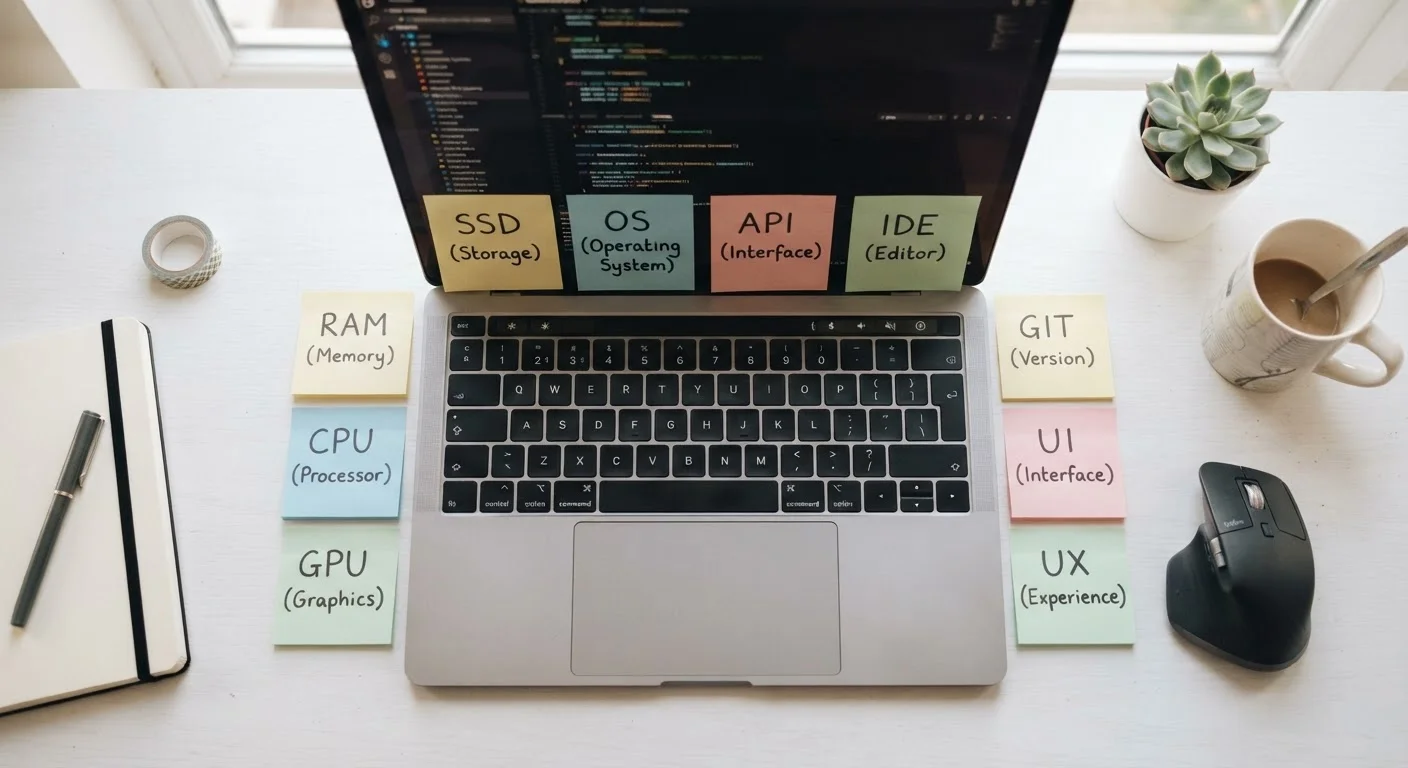
Why These Terms Matter Before You Buy
Laptop and PC spec sheets are written for engineers, not shoppers. Terms like RAM, GHz, and NVMe appear on every product listing, yet rarely come with an explanation. That knowledge gap costs buyers money - either by paying for specs they don't need or by choosing hardware that falls short.
This glossary covers the terms you're most likely to encounter when comparing computers, whether you're shopping in-store or online. Each definition is written in plain language, with enough context to understand why the term matters to you - not just what it means in a textbook.
For a broader overview of the buying process itself, see The Non-Technical Person's Complete Guide to Buying a Computer. If spec sheet numbers still feel confusing after reading this glossary, RAM, Storage, and Processors: What the Numbers on a Laptop Spec Sheet Actually Mean goes deeper on GHz, cores, and gigabytes.
RAM (Random Access Memory)
The short-term working memory your computer uses to run open applications. More RAM allows you to multitask more smoothly - for example, keeping a video call, a browser with many tabs, and a document editor open at the same time without slowdowns.
CPU (Central Processing Unit)
The main processor - often called the "brain" of the computer. It executes instructions for virtually everything the computer does. Speed (measured in GHz) and the number of cores both affect how quickly it handles tasks.
GPU (Graphics Processing Unit)
A dedicated chip for handling visual data. Casual users rely on integrated graphics built into the CPU, which is sufficient for everyday tasks. Gamers, video editors, and 3D designers typically need a discrete (separate) GPU for better performance.
SSD (Solid State Drive)
A type of storage that uses flash memory rather than spinning magnetic disks. SSDs are significantly faster than older HDDs, meaning quicker boot times and faster file access. They are now standard in most modern laptops and desktops.
HDD (Hard Disk Drive)
Traditional mechanical storage that uses a spinning magnetic platter to read and write data. HDDs offer more storage capacity per dollar than SSDs but are slower and more fragile due to moving parts.
Operating System (OS)
The foundational software that runs the computer and lets you interact with applications. Common examples include Windows, macOS, and ChromeOS. Your choice of OS affects which software you can run and how the interface looks and feels.
GHz (Gigahertz)
A measure of processor clock speed - how many billion cycles per second a CPU can execute. Higher GHz generally means faster single-task performance, though the number of cores and overall architecture also influence real-world speed.
USB-C
A modern, reversible connector standard used for charging, data transfer, and video output. Many newer laptops rely on USB-C for multiple functions. Some ports also support Thunderbolt, which offers faster data speeds.
VRAM (Video RAM)
Dedicated memory on a GPU used to store image and texture data. More VRAM enables smoother rendering of high-resolution graphics and is particularly important for gaming and professional video or 3D work.
BIOS / UEFI
Low-level firmware that initializes hardware when a computer powers on, before the operating system loads. Most buyers never need to interact with it directly, but it controls fundamental settings like boot order and hardware compatibility.
Bandwidth
The maximum rate at which data can be transferred, typically measured in megabits per second (Mbps) or gigabits per second (Gbps). In PC specs, it can refer to memory bandwidth (how fast the CPU accesses RAM) or network bandwidth (internet speed).
Display Resolution
The number of pixels on a screen, expressed as width × height (e.g., 1920×1080, also called Full HD or 1080p). Higher resolution means sharper images. Common resolutions for laptops include 1080p, 1440p (QHD), and 2160p (4K).
Key Stats That Put Specs in Context
Numbers on spec sheets can feel abstract. These data points help illustrate why certain specs matter more than others for typical everyday use.
8 GB
Typical RAM for general everyday computing
Industry guidance generally positions 8 GB as a workable baseline for tasks like web browsing, email, and streaming, though 16 GB offers more headroom for multitasking.
3-5×
Speed advantage of SSD over traditional HDD
Benchmarks consistently show SSDs loading operating systems and applications several times faster than mechanical hard drives under comparable conditions.
60 Hz
Standard display refresh rate for everyday use
A 60 Hz refresh rate - meaning the screen redraws 60 times per second - is considered sufficient for general productivity and media consumption.
Once you have a handle on what the numbers mean, it's equally useful to understand which tasks actually push a machine's limits. Matching a Computer to What You Actually Do walks through which specs genuinely matter for browsing, video calls, photo editing, and more.
It's also worth noting that marketing language around computer specs is sometimes misleading. Everyday PC Myths That Keep Confusing Buyers separates persistent misconceptions - like "more RAM is always better" - from the facts that actually matter when choosing a machine.
Networking terms are their own category and not covered here. If you encounter words like SSID, DNS, or mesh while setting up your new computer at home, the Home Network Glossary is a useful companion reference.
The content on this site is provided for informational purposes only and should not be considered a substitute for professional advice. While we strive to provide accurate and up-to-date information, we make no guarantees regarding its completeness or accuracy. Always consult a qualified professional for advice specific to your circumstances before making any decisions.